
Pondicherry University Samarth Portal: Login, Admission & Student Services Guide 2026
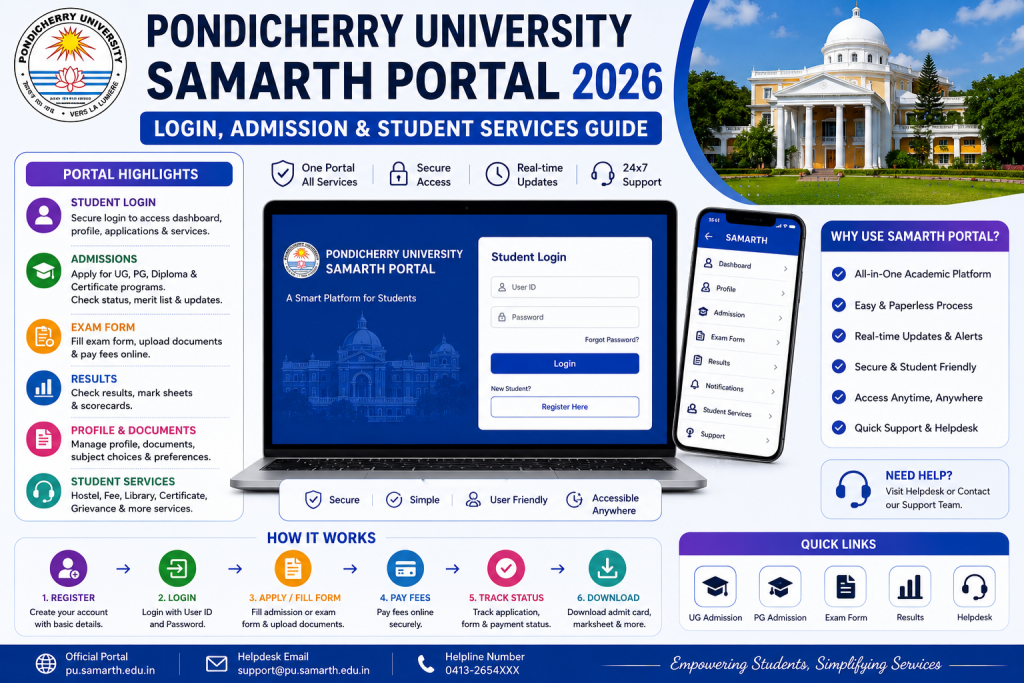
Pondicherry University sits on one of the most beautiful campuses in India, right where Tamil Nadu meets the old French colony. But even paradise has paperwork. And for PU students, that paperwork now lives on the Pondicherry University Samarth Portal. Whether you are studying at the main Puducherry campus, the Karaikal campus, or the Port Blair campus, the portal experience is the same. Here is how to navigate it without losing your mind.
Disclaimer: SamarthPortal.in is not affiliated with Pondicherry University or any government body. This guide is informational only. Always verify on the official PU website.
What is the Pondicherry University Samarth Portal?
The Pondicherry University Samarth Portal is the official student management platform for Pondicherry University. Built on the Samarth eGov Suite, it is accessible at pondiuni.samarth.edu.in. The portal handles student services including registration, exam forms, fee payment, admit cards, and results.
Pondicherry University also uses Samarth for its community college and vocational programmes, with separate portals for different centres. The main student portal at pondiuni.samarth.edu.in is what most PU students will use.
Registration, Login, and Key Services
Registration and Login
Visit pondiuni.samarth.edu.in, click “New Registration,” and enter your details as per university records — enrollment number, name, programme, date of birth, and mobile number. Complete OTP verification and create your password. For login, enter your enrollment number and password on the same page.
If you face issues, our password reset guide and login problem guide cover all scenarios including OTP problems and server issues.
Exam Forms and Fee Payment
Before examinations, PU opens the exam form window on the portal. Log in, navigate to the Examination section, verify your details and subjects, and submit with the required fee. Payment options include UPI, cards, and net banking. For payment issues, see our payment failure guide.
Admit Card and Results
Download your admit card from the Hall Ticket section of the dashboard before exams. After exams, check results in the Results section. PU results typically take 4 to 8 weeks.
Guest Faculty Services
One interesting aspect of PU’s Samarth implementation is that it extends beyond students. Pondicherry University also uses Samarth for faculty services including guest faculty claim bill submissions. This shows the depth of integration the university has achieved with the platform.
Tips for PU Students
Pondicherry University has multiple campuses — Puducherry, Karaikal, and Port Blair. Make sure your campus and department details are correct on the portal. If anything looks wrong, contact your department office.
PU is a central university with students from across India. If you registered with a mobile number from your home state and have since switched to a local number, make sure you update your details or keep the old number active for OTP verification. Our mobile number change guide explains the process.
Pondicherry University has a relatively smaller student body compared to mega universities like IGNOU or DU, which means the portal generally experiences less server congestion. This is actually an advantage — you are less likely to face timeout errors or slow loading during peak periods. But do not let that make you complacent about deadlines. The university sticks to its dates regardless of how smooth the portal runs.
PU also has a strong focus on research programmes. If you are a PhD or MPhil scholar, some of your portal services may differ from UG and PG students. Synopsis submission, progress reports, and viva-related documentation may or may not be on the portal depending on your department. Check with your supervisor or department office for clarification.
For students at the Karaikal campus, your academic calendar might have slight variations from the Puducherry main campus. Make sure you are following the deadlines that apply to your specific campus and programme.
For technical portal issues, PU has a helpdesk accessible during working hours. The phone number is usually listed on the portal’s help section. Also check our helpline directory.
Frequently Asked Questions
What is the official PU Samarth Portal URL?
pondiuni.samarth.edu.in for the student portal.
Do PU Community College students use the same portal?
PU Community College centres may have a separate Samarth portal (e.g., for PUCC Mahe). Check with your specific centre for the correct URL.
How do I check my PU exam result on Samarth?
Log in to pondiuni.samarth.edu.in, go to the Results section on your dashboard, and select the relevant exam session. Your marks and grade card will be displayed.
What if my PU Samarth Portal payment fails?
Wait 24 to 48 hours for automatic reversal. If the money does not come back, contact the PU accounts section with your transaction details. See our payment failure guide for detailed steps.
Can I access PU Samarth Portal from the Port Blair campus?
Yes, the portal is accessible from anywhere with internet. Your campus location does not affect portal access.
Is there a mobile app for PU Samarth Portal?
There is no separate official mobile app. Use any mobile browser to access pondiuni.samarth.edu.in. The website is responsive and works well on smartphones. For more on this, see our Samarth Portal app guide.
How do I contact PU for Samarth Portal issues?
The PU helpdesk landline is 0490-2332622, available from 10 AM to 4 PM on working days. You can also try the mobile number 9207982622. For more contact options, check our helpline directory.
Differences Between PU Campuses on Samarth
Pondicherry University operates from three main locations — the main campus in Puducherry, the Karaikal campus, and the Port Blair campus in Andaman and Nicobar Islands. While all three use the same Samarth platform, there can be differences in the available programmes, exam schedules, and administrative contacts for each campus. When you log in, your dashboard should reflect the campus and programme you are enrolled in. If it does not, contact your campus administration to get it corrected before submitting any forms or making any payments. Yes, the portal is accessible from anywhere with internet. Your campus location does not affect portal access.