
IGNOU Samarth Portal: Login, Registration, Admit Card & Complete Guide 2026
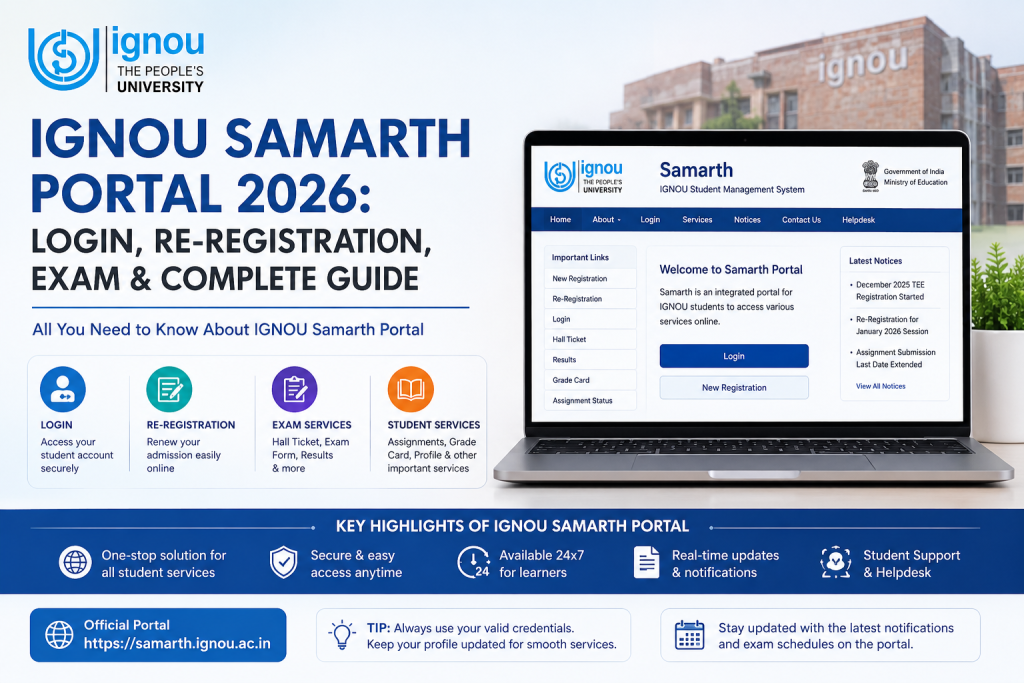
Let me tell you something honestly. If you are an IGNOU student in 2026 and you still do not know how to use the IGNOU Samarth Portal properly, you are making your own life harder than it needs to be. Because this portal is not just some random government website where you log in once and forget about it. From the day you take admission to the day you download your final grade card, everything runs through ignou.samarth.edu.in. And I mean everything.
Whether you need to pay your semester fee, download your hall ticket at midnight before the exam, submit assignments online, or just check if your result is finally out after waiting three months, it all happens on this one portal. So yes, learning how to use it properly is not optional. It is survival.
Disclaimer: SamarthPortal.in is not affiliated with IGNOU or any government body. This is a purely informational guide to help students navigate the Samarth Portal. Always verify details on the official IGNOU website before taking any action.
What is the IGNOU Samarth Portal?
The IGNOU Samarth Portal is the official student management platform for Indira Gandhi National Open University. It replaced the older systems that IGNOU was using for years, and honestly, the upgrade was long overdue. The portal is built on the Samarth eGov Suite, which was developed by the University of Delhi under the Ministry of Education.
Now here is what makes this special. IGNOU is not a small college with 500 students. It is the largest open university in the world, with over 40 lakh active learners. So when IGNOU decided to move everything to Samarth, they basically created one of the biggest student portals in India. That also means the servers get tested like nothing else, especially during admission season and exam form deadlines.
The official URL for the IGNOU Samarth Portal is ignou.samarth.edu.in. Do not type ignou.samarth.ac.in or ignou.samarth.com or whatever Google autocomplete suggests. The correct link is ignou.samarth.edu.in. Bookmark it. Tattoo it on your hand if you have to. Because half the problems IGNOU students face start with opening the wrong website.
How to Register on the IGNOU Samarth Portal
If you are a new student or you have never logged in before, you need to register first. The process is straightforward, but you need a few things ready before you start.
Things You Need Before Registration
You will need your IGNOU Enrollment Number. This is the 9-digit number that IGNOU gives you after admission. You also need access to the email address and mobile number that you used during your IGNOU admission. If you have changed your phone number since then, you might run into trouble.
Step-by-Step Registration Process
First, open ignou.samarth.edu.in in your browser. Chrome or Firefox works best. Then click on the “New Registration” link below the login box.
Select your enrolled programme from the dropdown. Then enter your full name exactly as it appears in your IGNOU records. This is important because even a small spelling difference can cause the system to reject your registration. Enter your Enrollment Number carefully.
Complete the captcha verification, then click Submit. The portal will send an OTP to your registered mobile number. Enter the OTP, create a strong password, and confirm it. That is it. Your IGNOU Samarth account is now active.
One more thing. Please write down your password somewhere safe. The number of IGNOU students who forget their password within 48 hours of creating it would genuinely surprise you.
How to Login to the IGNOU Samarth Portal
Once your registration is complete, logging in is simple.
Go to ignou.samarth.edu.in. Enter your Enrollment Number in the username field. Enter your password. Complete the captcha and click Login. You will be taken to your student dashboard.
If the portal is slow or not loading, do not keep refreshing like a madman. It is probably because thousands of other IGNOU students are trying to do the same thing at the same time. Try logging in during early morning hours or late at night when server load is lower.
What Can You Do on the IGNOU Samarth Dashboard?
Once you are inside, the dashboard gives you access to basically everything related to your IGNOU academic life. Let me walk you through the main sections.
Re-Registration for Next Semester
This is probably the most used feature. Every semester, IGNOU students need to re-register for the next year or session. The re-registration window usually opens for the January session around September to October, and for the July session around March to April.
On the dashboard, look for the “Re-Registration” option. Select your courses for the next semester, verify all details, and proceed to payment. The fee for re-registration is usually Rs. 300 per course, but this can change, so always check the current fee structure on the official IGNOU website.
Pro tip from students who have done this ten times over. Do not wait for the last date. The portal crashes more often on the last day than your motivation crashes during exam preparation. Pay early, sleep peacefully.
Fee Payment
All fee payments for IGNOU happen through the Samarth Portal. You can pay using UPI, debit card, credit card, or net banking. If your payment fails but money gets deducted, do not panic.
Admit Card or Hall Ticket Download
Before every Term End Examination, IGNOU releases admit cards through the Samarth Portal. Go to your dashboard, look for the “Hall Ticket” or “Admit Card” section, select the current exam session, and download your admit card as a PDF.
Check every single detail on the admit card. Your name, enrollment number, exam centre, date, and time. If anything is wrong, contact your Regional Centre immediately. Do not show up at the wrong centre and then blame the portal.
Result and Grade Card
After exams, results are published on the Samarth Portal. Log in, navigate to the Results section, and check your marks and grade card. You can also download your grade card as a PDF for your records.
If your result shows “Not Declared” for a long time, it is likely because IGNOU is still processing results for your programme. IGNOU results can take anywhere from 45 days to 90 days, sometimes more. Patience is the only strategy here.
Assignment Submission
IGNOU has moved assignment submission to the online portal for many programmes. You can upload your assignments directly through the dashboard. Make sure your file is in the correct format and within the size limit. Usually, PDF format works best.
Student ID Card Download
You can also download your IGNOU student identity card from the Samarth Portal. It is a digital ID card in PDF format that you can print and use for verification purposes.
Common Problems IGNOU Students Face on Samarth Portal
Let me be honest. No student portal serving 40 lakh students is going to be perfect. Here are the most common problems and what you can do about them.
Portal is slow or not loading. This happens during peak times like admission deadlines, re-registration closing dates, and admit card release days. Solution is to try during off-peak hours, clear your browser cache, or switch to a different browser.
Forgot password and OTP not coming. If your registered mobile number has changed, you cannot receive the OTP needed for password reset. In this case, visit your nearest IGNOU Regional Centre with your enrollment number and a valid photo ID. They will help you update your mobile number.
Name mismatch during registration. Your name on the portal must exactly match your IGNOU records. Even a “Kumar” vs “Kumari” difference can cause issues. Contact the Regional Centre for corrections.
Payment successful but not reflecting. Wait for 24 to 48 hours. If it still does not reflect, take a screenshot of the payment confirmation and contact IGNOU support with your enrollment number and transaction details.
IGNOU Samarth Portal Helpline and Contact Details
If you are stuck and nothing is working, here is who to contact.
IGNOU has a Student Service Centre that handles portal-related queries. You can also reach out to your nearest Regional Centre.
For general portal issues, you can also try the Samarth eGov support through the portal itself, usually accessible from the Help or Support section of your dashboard.
Quick Reference Table
| Task | Where to Find It |
|---|---|
| Login | ignou.samarth.edu.in → Enter Enrollment No. + Password |
| New Registration | ignou.samarth.edu.in → New Registration link |
| Re-Registration | Dashboard → Re-Registration |
| Fee Payment | Dashboard → Fee Section → Pay Online |
| Admit Card | Dashboard → Hall Ticket / Admit Card |
| Result Check | Dashboard → Results |
| Assignment Upload | Dashboard → Assignment Section |
| ID Card Download | Dashboard → Student ID Card |
| Password Reset | Login Page → Reset Password |
Frequently Asked Questions
What is the official URL for IGNOU Samarth Portal?
The official URL is ignou.samarth.edu.in. Always check for the .edu.in domain to make sure you are on the right website.
Can I access the IGNOU Samarth Portal on my phone?
Yes. The portal works on mobile browsers. There is no separate official app, but the website is mobile-responsive.
How do I reset my IGNOU Samarth Portal password?
Click on “Reset Password” on the login page, select your programme, enter your Enrollment Number, verify with OTP, and create a new password.
When does IGNOU re-registration open on Samarth Portal?
For the January session, re-registration usually opens around September. For the July session, it opens around March. Always check the official IGNOU website for exact dates.
My IGNOU Samarth Portal is showing an error. What should I do?
First, try clearing your browser cache and cookies. If the problem continues, try a different browser or device. For persistent issues, contact your Regional Centre.