
Gauhati University Samarth Portal: Student Login, Exam Form & Results Guide 2026
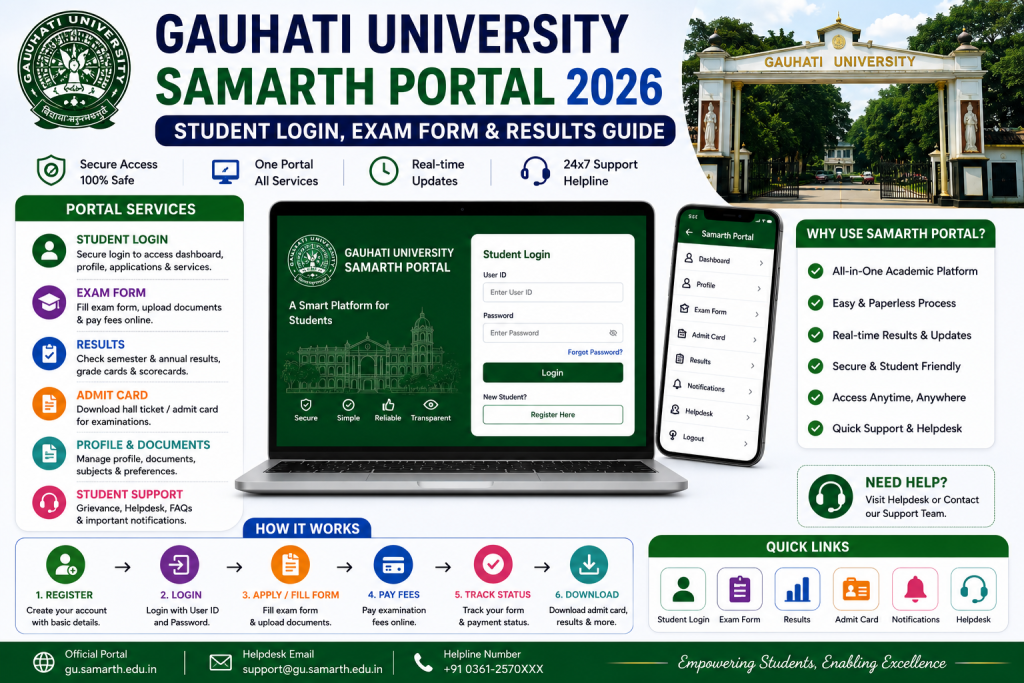
For students across Assam and the entire Northeast, Gauhati University is not just a university — it is the university. And now that GU has moved its student services to the Samarth Portal, understanding how to use gauhati.samarth.edu.in is essential for every enrolled student. Whether you are at GU’s main campus or at one of its affiliated colleges spread across Assam, this portal is where your academic paperwork lives.
Disclaimer: SamarthPortal.in is not affiliated with Gauhati University or any government body. This guide is purely informational. Always verify on the official GU website.
What is the Gauhati University Samarth Portal?
The Gauhati University Samarth Portal is the official student management platform for Gauhati University, Guwahati. It runs on the Samarth eGov Suite at gauhati.samarth.edu.in. There is also a separate admin-side portal at gauhati.samarth.ac.in, but students should use the .edu.in version for login and services.
Gauhati University is the oldest university in Northeast India and has a massive network of affiliated colleges. The Samarth implementation means students across these colleges now have a unified platform for exam forms, admit cards, results, fee payment, and attendance records.
Gauhati University was also central to the Assam Samarth Admission Portal launch, where the entire state’s UG admission process is now managed through Samarth. So GU and Samarth are deeply connected in the Assam higher education ecosystem.
Registration and Login
Registration
Visit gauhati.samarth.edu.in and click “New Registration.” Enter your enrollment number, name as per university records, programme, date of birth, and registered mobile number. Complete OTP verification and set your password.
GU students often face issues because their name in the university database was entered in a specific way during their original admission. If the portal says “name mismatch,” contact your college office and ask them to check what name is registered in the GU system.
Login
Go to gauhati.samarth.edu.in, enter your enrollment number, password, and captcha. Click Login. For password issues, see our password reset guide. For login problems, check our troubleshooting guide.
Key Features for GU Students
Exam Form Submission
Before every semester exam, Gauhati University opens the exam form window on the Samarth Portal. Log in, go to the Examination section, select your session, verify your subjects, and submit the form with the exam fee.
GU affiliated college students should note that your college may also need to verify and forward your exam form after you submit it on the portal. So submit well before the deadline to give your college time for their part.
For detailed steps, see our exam form guide.
Admit Card and Hall Ticket
GU releases admit cards on the portal before exams. Log in and download from the Hall Ticket section. Check all details carefully, including your exam centre location — GU has multiple exam venues. For more, see our admit card download guide.
Result Check and Grade Sheet
Results are published on the Samarth Portal. Log in and check under the Results section. You can also download your grade sheet from the portal.
Attendance Sheet and Academic Records
One unique feature of the GU Samarth implementation is the ability to access attendance records through the portal. Colleges and departments can upload attendance data, and students can view it on their dashboard. This is useful for tracking your attendance percentage before it becomes a problem.
Fee Payment
All fee payments are handled through the portal — UPI, debit card, credit card, and net banking. For payment failures, see our payment guide.
Common Issues for GU Students
Connectivity can be a challenge for students in remote parts of Assam and the Northeast. If the portal is loading slowly, it could be your internet connection rather than the server. Try switching between mobile data and WiFi to see which works better.
For students at affiliated colleges outside Guwahati, your college office is the first point of contact for any portal-related issues. They can check your records in the system and help resolve problems faster than contacting the university directly.
Gauhati University has also been at the forefront of using Samarth for attendance tracking. If your professor or department uploads attendance data to the portal, you can view your attendance percentage directly on the dashboard. This is a valuable feature because many GU programmes have minimum attendance requirements, and knowing your percentage early gives you time to course-correct if needed.
Some GU affiliated colleges have their own college-level Samarth portals in addition to the main university portal. This can cause confusion about which portal to use for what. As a general rule, the university-level portal at gauhati.samarth.edu.in handles exam-related functions (exam forms, admit cards, results), while college-level portals handle internal college functions. When in doubt, ask your college office.
For OTP issues, see our OTP fix guide. For photo upload issues, see our photo upload guide.
GU Helpline
Gauhati University has a dedicated support system for Samarth-related issues. Contact information is available on the portal’s Help section. Also see our helpline directory.
Frequently Asked Questions
What is the correct URL for GU Samarth Portal?
gauhati.samarth.edu.in for the student portal. Do not confuse it with gauhati.samarth.ac.in which is the admin portal.
Is GU Samarth Portal connected to the Assam Admission Portal?
Both run on Samarth eGov, but they are separate portals. The Assam admission portal (assamadmission.samarth.ac.in) is for new UG admissions statewide. The GU student portal is for enrolled students.
How do I download my GU attendance sheet from Samarth?
Log in, navigate to the Academic section, and look for attendance records under the relevant session