
Gujarat University Samarth Portal: Student Login, Course Selection & Exam Guide 2026
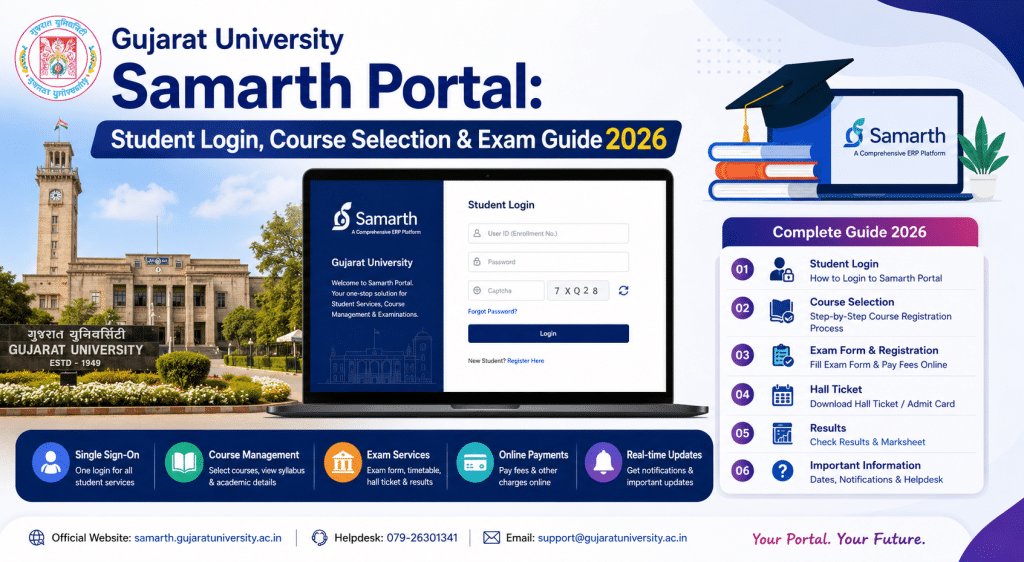
Gujarat University students, if your college told you to “select courses on Samarth” and you are still trying to figure out what that means, welcome. You are in the right place. Gujarat University uses the Samarth Portal for critical student services including the all-important course selection process under NEP 2020. And if you miss the course selection deadline, your exam eligibility could be in serious trouble. So this is not something you can afford to ignore.
Disclaimer: SamarthPortal.in is not affiliated with Gujarat University or any government body. This guide is informational only. Always verify on the official GU website.
What is the Gujarat University Samarth Portal?
The Gujarat University Samarth Portal is the official student platform for Gujarat University, Ahmedabad. It runs on the Samarth eGov Suite and is accessible at gujaratuniversity.samarth.edu.in.
Gujarat University uses Samarth primarily for the student portal functions — course selection, exam form submission, and student data management. The university has specifically highlighted that students must complete their course selection on the portal to be eligible for examinations. This is especially critical under the NEP 2020 framework where course selection structures have changed.
One important note from Gujarat University — if your name on the portal does not match because your name is different on your Aadhaar Card versus your 12th marksheet, enter your name as per your Aadhaar Card during registration. The university has issued this specific instruction for students facing name mismatch issues.
Registration and Login
How to Register
Go to gujaratuniversity.samarth.edu.in and click on “New Registration.” Enter your personal details, enrollment number, programme, and contact information. Verify through OTP and set your password.
If registration fails, the most likely cause is a data mismatch between what you entered and what the university has in its records. Contact your college office to verify your details.
How to Login
Visit gujaratuniversity.samarth.edu.in, enter your enrollment number or username, password, and captcha. Click Login. For forgotten passwords, use the Reset Password option on the login page.
Detailed steps for both are in our password reset guide and login problem guide.
Course Selection on Gujarat University Samarth Portal
This is the most critical feature for GU students. Under NEP 2020, you need to select your courses for each semester through the portal. The course selection window is time-limited, and the university has been clear that students who do not complete it on time will face eligibility issues for exams.
Log in, navigate to the Course Selection section, choose your courses for the current semester, and confirm your selections. The available courses depend on your programme and semester.
Double check your selections before confirming. Once submitted, changes may require approval from your college or department.
Exam Form and Other Services
Gujarat University also uses the portal for exam form submission, fee payment, and other standard student services. The process is similar to other Samarth universities — log in, go to the relevant section, fill the form, pay the fee, and submit.
For fee payment issues, see our payment failure guide. For admit card downloads, check our admit card guide.
Common Issues for GU Students
The most common complaint from Gujarat University students is confusion about which link to use. Gujarat University has both an admission portal (gujaratuniversityadm.samarth.edu.in) and a student portal (gujaratuniversity.samarth.edu.in). The admission portal is for new applicants. The student portal is for enrolled students. Make sure you are using the correct one.
Another frequent issue is the course selection window closing before students complete the process. Gujarat University has strict deadlines for this, and they do not always extend them. Complete your course selection as soon as the window opens.
Some GU students face issues during exam form submission because their course details do not reflect their actual enrolled courses. This usually happens when the NEP 2020 transition has created some data mapping issues in the system. If your course list looks wrong, contact your department immediately — do not submit a form with incorrect subjects.
Understanding NEP 2020 on the GU Samarth Portal
The National Education Policy 2020 has changed how courses are structured at Gujarat University. Instead of the traditional fixed-course model, you now have more flexibility in selecting courses, including multi-disciplinary options and credit-based frameworks.
The Samarth Portal is where this new flexibility becomes practical. When you do your course selection on the portal, you will see the available courses for your semester, including core courses, electives, and any additional options your programme allows.
This is why Gujarat University has been so insistent about completing course selection on time — the exam system needs to know which courses you have selected before it can generate your exam form and ultimately your results. If you skip this step, nothing else in the exam chain works properly.
For any portal issues, first contact your college admin office. For university-level support, check the contact information on the portal. Our helpline directory has additional options.
Frequently Asked Questions
What is the official Gujarat University student portal URL?
gujaratuniversity.samarth.edu.in for enrolled students. gujaratuniversityadm.samarth.edu.in for new admissions.
Is course selection mandatory on the Samarth Portal?
Yes. Gujarat University requires course selection on Samarth for exam eligibility under NEP 2020.
How often does the course selection window open?
Gujarat University opens the course selection window at the beginning of each semester. The exact dates vary, so check the portal and your department notice board regularly.
What happens if I miss the course selection deadline?
You may not be eligible to appear in that semester examination. Contact your college office immediately if you have missed the deadline to explore any possible late submission options. Gujarat University has advised using your name as per your Aadhaar Card. Contact your college office if the issue persists.