
DU Samarth Portal 2026: Student Login, Admission, Exam Form & Complete Guide
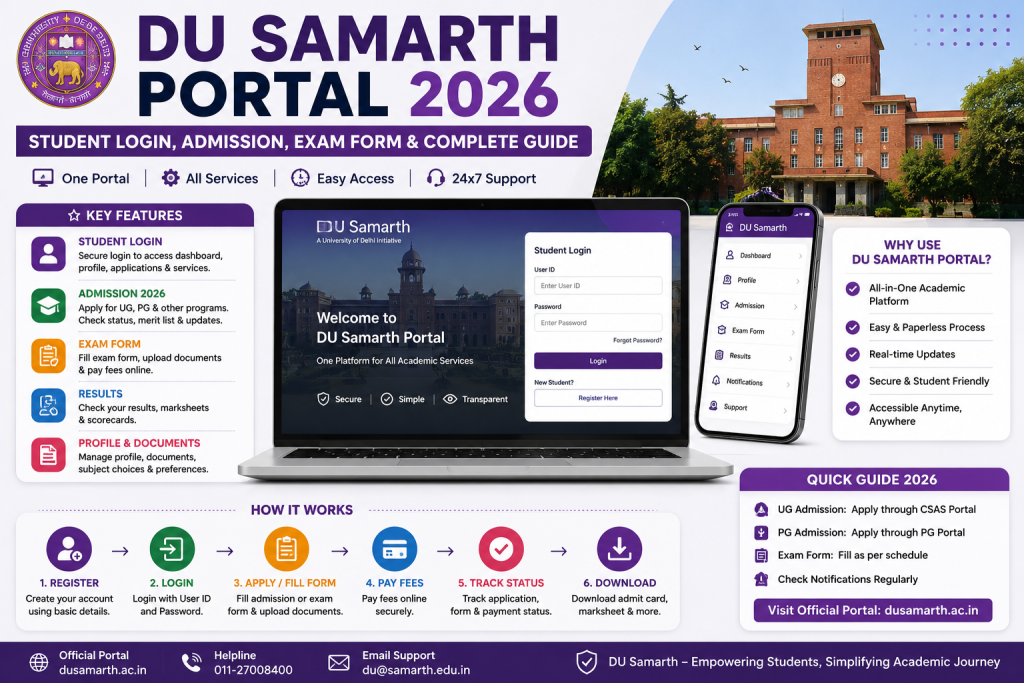
अगर आप already DU student हैं — आपका portal है du.samarth.edu.in।
अगर आप DU में admission लेना चाहते हैं — admission portal की link हर साल du.ac.in पर announce होती है। ये guide दोनों cover करेगी।
| Prtal | URL | |
|---|---|---|
| Admission Portal | URL हर साल बदलता है | नए applicants के लिए (fresh admission) |
DU Samarth Portal पर Registration कैसे करें (Existing Students)
अगर आप DU के current student हैं और पहली बार portal use कर रहे हैं:
Registration से पहले Ready रखें
- आपका DU Enrollment Number या Roll Number
- IGNOU students Admission के समय दिया गया mobile number (OTP इसी पर आएगा)
- वही email जो admission में use किया
- नाम exactly वैसा जैसा DU records में है — college admission form check करें
Step-by-Step Registration
Step 1: Browser में du.samarth.edu.in खोलें।
Step 2: Login box के नीचे “New Registration” link click करें।
Step 3: अपना programme select करें (BA Programme, B.Com Hons, M.A. History — जो भी हो)।
Step 4: Name, enrollment number, date of birth, email, mobile number — सब भरें।
Step 5: System आपकी details DU database से verify करेगा। अगर सब match हुआ तो OTP आएगा।
Step 6: OTP verify करें, password create करें, done।
अगर Registration में Problem हो तो
“Student record not found” — इसका मतलब है कि आपकी details DU system में जैसी registered हैं, वैसी आपने नहीं डाली। सबसे common गलती name spelling में होती है। अपने college office जाएँ और पूछें कि exactly कौन सी details system में हैं।
OTP नहीं आ रहा — Mobile number बदल गया है तो OTP नहीं आएगा। College admin office में जाकर mobile number update करवाएँ। Detail guide: Samarth Portal OTP Problem
DU Samarth Portal Login कैसे करें
Step 1: du.samarth.edu.in खोलें।
Step 2: Enrollment Number या Username डालें।
Step 3: Password डालें।
Step 4: Captcha भरें → Login click करें।
Login Problems और Solutions
| Problem | Solution |
|---|---|
| Password भूल गए | Login page → Reset Password → OTP verify → नया password set करें। Guide: Password Reset |
| Portal slow / not loading | Peak hours avoid करें। सुबह 6-8 AM या रात 11 PM बाद try करें। Guide: Login Problem Fix |
| “Invalid credentials” error | CapsLock check करें। Password case-sensitive है। फिर भी error हो तो reset करें |
| Portal completely down | Server issue है। कुछ time बाद try करें। Status check: Server Down Guide |
DU Exam Form कैसे भरें Samarth Portal पर
ये वो feature है जो हर DU student को semester में एक बार ज़रूर use करना पड़ता है। Exam form submit नहीं किया = exam नहीं दे सकते।
Exam Form भरने का Process
Step 1: du.samarth.edu.in पर login करें।
Step 2: Dashboard पर “Examination” section ढूँढें।
Step 3: Current exam session select करें (जैसे May-June 2026)।
Step 4: आपके subjects automatically listed होंगे। हर subject carefully verify करें — अगर कोई subject गलत है या missing है, तो form submit मत करें और तुरंत college exam cell से बात करें।
Step 5: Personal details — name, roll number, exam centre — सब double check करें।
Step 6: Examination fee pay करें (UPI / Card / Net Banking)।
Step 7: Submit करें, receipt download करें, screenshot भी ले लें।
DU Exam Form Tips — Seniors से सीखें
Deadline से 3-4 दिन पहले भरें। DU में lakhs students हैं। Last date को portal crash होने की probability 90% से ज़्यादा है। Early submission = zero tension।
Subjects confirm करें college exam cell से। Especially अगर आप ने mid-semester में subject change किया है, additional paper लिया है, या back paper है। Portal पर दिख रहे subjects और actual subjects में mismatch बहुत common है।
Fee payment receipt को 3 जगह save करें — phone, email, और print। Paranoid लगता है, पर ज़रूरत पड़ने पर काम आता है।
For more: Samarth Portal Exam Form Guide
DU Admit Card Download कैसे करें
Exam से करीब 7-15 दिन पहले DU admit cards release करता है portal पर।
Step 1: Login करें → Hall Ticket section जाएँ।
Step 2: Exam session select करें → Download click करें।
Step 3: PDF download होगा → Print करें।
Admit Card पर ये ज़रूर Check करें
DU का campus बहुत बड़ा है, और exam centres North Campus, South Campus, और off-campus locations पर भी हो सकते हैं। अगर आपको unfamiliar centre मिला है, तो exam से एक दिन पहले location ढूँढ लें। Exam के दिन भटकना — trust me — बहुत stressful होता है।
Check करें:
– नाम और roll number
– Exam centre का exact address
– Exam dates और time (morning shift / evening shift)
– Subjects correct हैं
किसी भी गलती के लिए तुरंत college exam cell contact करें।
More details: Samarth Portal Admit Card Download
DU Fee Payment Samarth Portal पर
DU की सारी fees — tuition fee, exam fee, hostel fee — अब portal से online pay होती हैं।
Payment Methods Available
– UPI (Google Pay, PhonePe, Paytm — कोई भी)
– Debit Card
– Credit Card
– Net Banking
अगर Payment Fail हो जाए?
ये सबसे scary situation है — पैसे कट गए लेकिन portal पर “payment pending” दिख रहा है।
घबराएँ नहीं। ये technical glitch है और 5-7 working days में पैसे वापस आ जाते हैं।
अगर 7 दिन बाद भी refund नहीं आया:
1. Bank statement download करें जिसमें deducted amount दिखे
2. Portal पर payment section में transaction ID note करें
3. College accounts office में जाएँ in person इन दोनों documents लेकर
4. एक formal complaint email भी करें university IT team को
Full recovery guide: Samarth Portal Payment Failed
DU Admission Process on Samarth Portal (New Students)
अगर आप DU में fresh admission लेना चाहते हैं, तो process इस तरह है:
DU Admission Timeline (आमतौर पर)
| Step | कब होता है |
|---|---|
| Registration / Application Open | May-June |
| Application Form भरना + Fee Payment | May-July |
| CUET Score Consideration | July-August |
| First Allocation / Merit List | August |
| Subsequent Rounds | August-September |
| Classes शुरू | Usually August-September |
Admission Portal पर Apply कैसे करें
Step 1: DU admission portal link du.ac.in से लें (हर साल URL बदलता है)।
Step 2: New Registration — नाम, DOB, mobile, email, CUET application number डालें।
Step 3: OTP verify → password create।
Step 4: Application form भरें — personal details, academic details (10th, 12th), category, CUET score।
Step 5: Documents upload करें:
– Photo: Passport size, JPEG, white background, 10-200 KB
– Signature: Black ink, white paper, JPEG, 4-100 KB
– 10th marksheet
– 12th marksheet
– Category certificate (if applicable)
– Other documents as specified
Photo upload में error आ रहा है? Photo Upload Fix Guide
Step 6: College preferences select करें — rank by priority। ये बहुत important है — higher preference colleges पहले consider होते हैं।
Step 7: Application fee pay करें → Final submit।
Admission Tips
Preferences सोच-समझकर भरें। आपकी preference order directly affect करती है कि आपको कौन सा college मिलेगा। Research करें, seniors से बात करें, फिर preferences set करें।
CUET score automatically fetch होता है ज़्यादातर cases में, लेकिन अपना scorecard downloaded रखें backup के लिए।
Multiple merit rounds होते हैं। First round में नहीं मिला तो hope मत छोड़ें — subsequent rounds में seats खुलती हैं।
DU Samarth Portal Helpline — Help कहाँ से लें?
| किस problem के लिए | किससे contact करें |
|---|---|
| Portal login, password, technical issues | College admin/IT office |
| Exam form, subjects, admit card errors | College exam cell |
| Fee payment disputes | College accounts office |
| Admission portal issues | DU admission helpline (du.ac.in पर available) |
| General Samarth technical support | Portal का Help/Support section |
Complete contacts: Samarth Portal Helpline Numbers
अक्सर पूछे जाने वाले सवाल (FAQ)
DU Samarth Portal का official URL क्या है?
Enrolled students के लिए: du.samarth.edu.in। Admission के लिए URL हर साल बदलता है — du.ac.in पर check करें।
DU Admission Portal और Student Portal अलग हैं?
हाँ। Technology same है (Samarth eGov), लेकिन URLs अलग हैं। Admission portal नए applicants के लिए है, student portal existing students के लिए।
DU Samarth Portal mobile पर काम करता है?
हाँ, mobile browser में work करता है। कोई official app नहीं है। More info: Samarth Portal App Guide
DU exam result कब आता है Samarth Portal पर?
आमतौर पर exam के 4 से 8 हफ़्ते बाद। कुछ programmes में ज़्यादा time लग सकता है।
अगर DU Samarth Portal खुल ही नहीं रहा तो?
Browser cache clear करें, different browser try करें, off-peak hours में access करें। Guide: Samarth Portal Down